
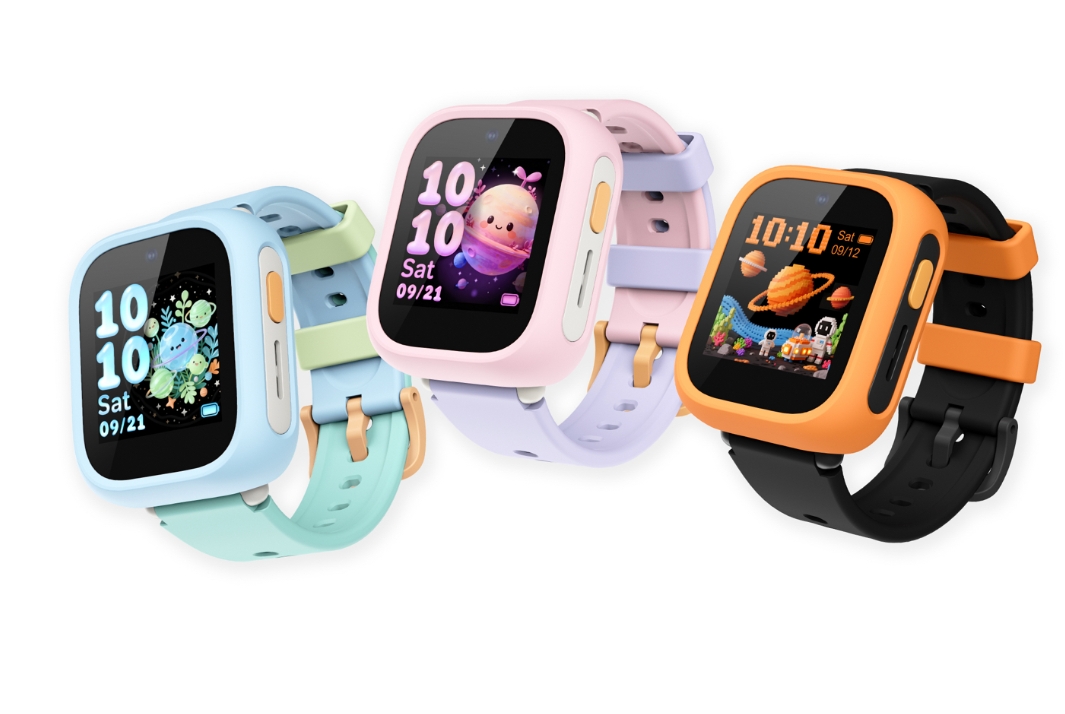
The children’s smartwatch market is highly competitive, with location tracking, call functionality, and class-time disabling almost standard features. Most products are limited to wrist wear, reverting to ordinary charging devices once removed. TCL Kids Watch K5, presented at IFA 2026, offers a differentiated solution: the watch itself can be removed and placed in its dedicated charging dock, transforming into a desktop AI companion terminal, achieving a dual-mode experience—”a watch on your wrist, an AI robot on your desk.”
Unlike mainstream domestic children’s watches that focus on social networking and social circles, the K5 targets the overseas market, focusing more on secure communication, AI companionship, and privacy compliance, thus avoiding homogeneous competition. This article provides a comprehensive review based on hands-on experience at the exhibition, covering hardware, dual-mode interaction, secure location tracking, AI capabilities, and advantages and disadvantages.
Hardware Appearance and Build Quality: Lightweight, DIY-Friendly Design for Kids
Weighing approximately 50g and only 14.35mm thick, the watch is designed to minimize wrist strain during extended wear. All corners are rounded, eliminating sharp edges. Winner of the 2026 Red Dot Design Award, the judges praised its design for being highly compatible with the aesthetics and usage habits of young children.
- Screen: 1.4-inch TFT square screen with a resolution of 240×240. Vibrant colors, touch interaction, but visibility in bright light is average; no paper-like eye protection technology.
- Protection: IP68 dust and water resistant, suitable for everyday handwashing, rain, and splashes. Not suitable for deep-sea swimming.
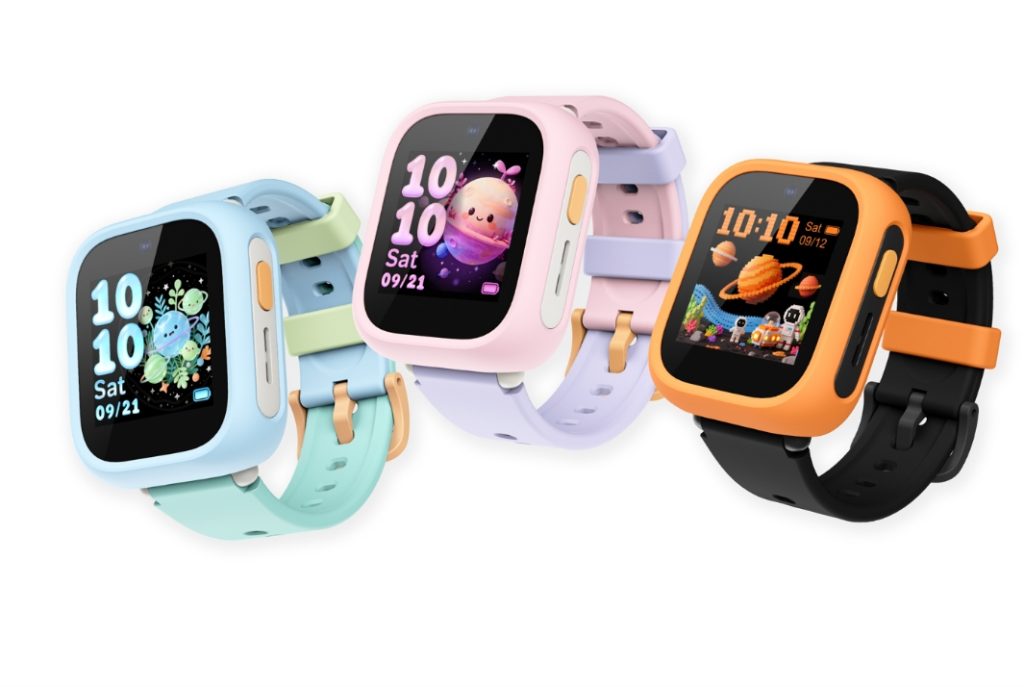
- Material: Food-grade liquid silicone/nylon dual-version straps. The watch case supports quick-release replacement and comes in multiple macaron colors (sky blue, dawn pink, meteor orange), allowing children to freely change the case and strap for customized appearance.
TCL Singap… – Imaging: 2MP front-facing camera, primarily for video calls, not for general photography or entertainment.
- Battery Life: 600mAh battery. Official lab data shows approximately 2-2.2 days of daily use and up to 4.8 days of standby time. Actual battery life may vary depending on 4G connectivity, video calls, and location services. The magnetic charging dock also functions as a desktop robot stand.
- Network: Supports 4G-VoLTE, Nano-SIM/eSIM, Wi-Fi 2.4G, and Bluetooth 4.2. It uses a Unisoc W337E processor, 256MB+256MB RAM, and an RTOS system (not Android), streamlined to reduce lag.
Key Hardware Highlight: Magnetic Electric Charging Dock. When the watch is placed on the dock, it’s not just for charging; it automatically switches to desktop robot mode, the screen becomes an emoji interface, and the speaker is fully activated, transforming the wearable device into a desktop AI companion terminal.
Core Functionality Testing: Dual Form Factor is the Product’s Biggest Selling Point
1. Wrist Mode: Complete Capabilities of a Traditional Children’s Watch
This is the basic form for going to school or playing outside, focusing on safety and communication.
- Ten-Layer Fusion High-Precision Positioning: Dual-frequency GPS + Wi-Fi + base station multi-source fusion positioning. Parents can set electronic safety fences in the parent app, automatically sending alarms when the watch is outside the designated area. Historical walking routes can be viewed, and the watch can be remotely locked if lost.
- 4G High-Definition Audio and Video Calls: VoLTE high-definition calls, video calls, voice messages, and group chats; parents can whitelist calls, allowing only calls from contacts in the address book and blocking all unknown numbers.
- School Mode (Class Mode): One-click activation disables games, AI entertainment, and message notifications, retaining only emergency SOS calls to avoid distractions during class, suitable for school use scenarios (TCL Singap…).
- One-Click SOS Emergency Call: Long press the button to automatically dial parents repeatedly and push real-time location.
- Pedometer and simple built-in mini-games, all controllable by parents via the app.
Experience Summary: The wrist mode is at the standard level of a mature children’s smartwatch. It lacks fancy social networking features and leans towards a “safe communication tool,” without an open browser to prevent access to inappropriate online content.
2. Desktop Robot Mode (Dock Mode): The Core Differentiation of the Product
By attaching the watch to the matching magnetic dock, it automatically switches to desktop AI mode. The screen displays dynamic cartoon expressions, the speaker volume is amplified, and the watch transforms into a desktop AI companion robot.
- AI Voice Assistant: Supports continuous dialogue, answering science questions, telling bedtime stories, playing nursery rhymes, and answering knowledge questions.
- Companion Interaction: The screen displays dynamic facial expressions for interactive chat with the child, serving as a bedtime companion at night.
- Sleep Assistance: In dock mode, sleep analysis can be activated to record the child’s bedtime usage habits and play sleep-inducing audio.
Limitations in Actual Experience: There is no physical motor for rotation; it doesn’t shake or wiggle. The robot’s presence is achieved solely through screen expressions and voice commands. It’s a “software-based desktop robot,” not a physically movable robot. The base serves as both a charging dock and a form factor switching device.
3. AI Capabilities
The K5’s AI capabilities are divided into two scenarios:
- Wrist Wear Mode: A lightweight voice assistant for basic question answering, weather checks, and alarm setting; limited by power consumption, its large-scale model capabilities are restricted.
- Desktop Mode with Base: With ample power, it enables full AI large-scale model dialogue, supporting longer story generation, science Q&A, and multi-turn continuous dialogue.
In short: The AI is relatively lightweight when worn on the wrist; its full potential is unleashed when placed on the base.
4. Parental Controls and Privacy (Key Focus for Overseas Versions)
The entire device complies with international child privacy standards such as GDPR and ISO27701, and aligns with COPPA child protection standards.
- All contacts and accounts require manual parental approval; strangers cannot add friends at will.
- Remote control of apps, games, and AI functions is available, with daily usage limits set.
- Location data is encrypted and stored, avoiding unnecessary data collection.
- No push notifications.
Summary of Advantages and Disadvantages
✅ Advantages
- Unique dual-form design: watch + desktop AI companion in one. The watch isn’t idle when not in use; the dock mode enhances home companionship.
- Solid build quality, IP68 waterproof, DIY replaceable case and strap, Red Dot design award winner, excellent aesthetics.
- Comprehensive privacy and security system, no open social networking, focusing on secure communication, suitable for overseas families.
- RTOS system, controllable power consumption, superior battery life compared to many other 4G children’s watches of the same specifications.
- Complete ten-layer positioning, SOS, and school mode; all basic safety features of a children’s watch are included.
⚠️ Limitations and Limitations
- No version available for sale in China. The system language and servers are for overseas markets, making it unavailable for direct purchase and use by domestic users.
- The “desktop robot” lacks mechanical movement; it only features screen expressions and voice interaction, making it a software-based interaction, not a physically moving robot.
- The dock is a separate accessory, not included in the packaging.
- The hardware configuration is low-end, with limited memory, only meeting basic needs and not supporting third-party app installation.
- The screen quality is average, with brightness and resolution at an entry-level level.
- AI capabilities are limited in wrist mode; a complete AI experience requires the dock.
Suitable & Unsuitable Users
✅ Suitable: Families with children aged 5-10 overseas; those who want a single device for both safe communication while out and about and AI companionship at home; those who value children’s privacy and do not want a social circle on the watch.
❌ Unsuitable: Domestic users (no domestic version currently available); those who want a physical robot that can head-shake; those who want to install numerous third-party apps on the watch; those who prioritize high-definition screen photography.
Competitive Product Comparison
Comparing with mainstream children’s smartwatches: Domestic products excel in social ecosystems and localized learning resources; the core competitiveness of the TCL Kids Watch K5 comes from its dual-form docking station with AI companionship, transforming an idle watch into a home AI terminal. However, this sacrifices third-party expansion capabilities, positioning the product more as an overseas safety tool than a learning tablet watch.
Summary
The TCL Kids Watch K5 is a very innovative children’s smart hardware device. It breaks away from the fixed mindset that “watches can only be worn on the wrist,” achieving a form factor leap with its magnetic docking station. When out and about, it serves as a communication and location tool for safety; at home, it transforms into a desktop AI companion.
Related reading: WIKO Xingzai Unboxing · Faraday Future’s EAI Educational Robot · Jollybubu’s First AI Interactive Doll
1 thought on “TCL Kids Watch K5: Watch Becomes Desktop AI Companion”