
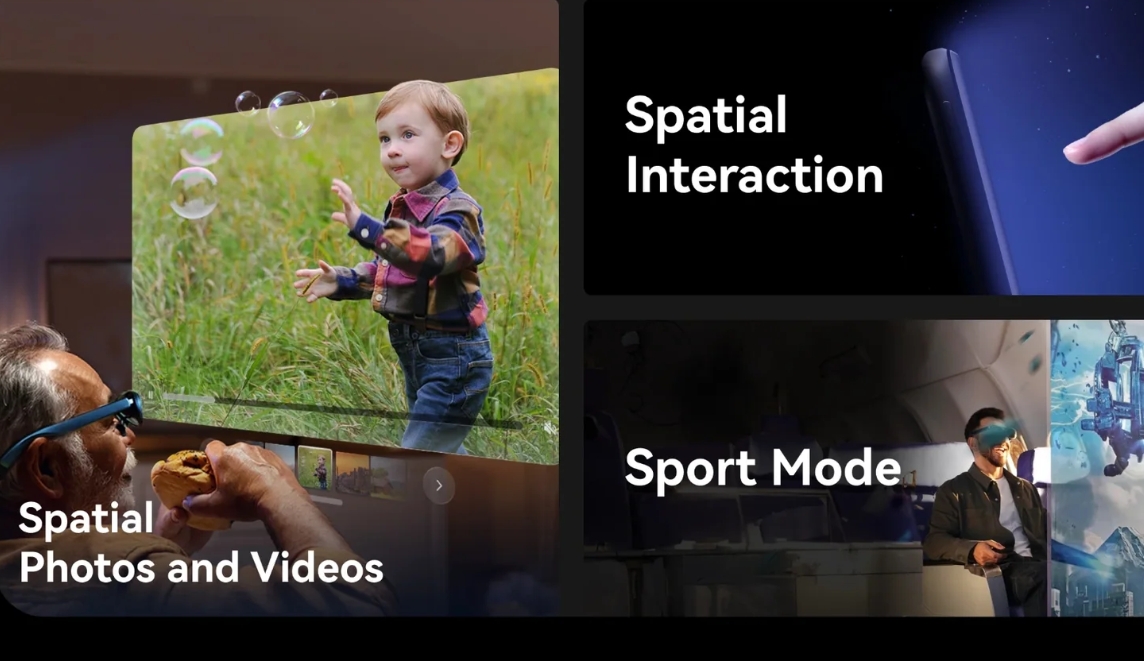
As a mainstream consumer AR smart glass for the year, the Rokid Max 2 markets itself on features like a massive virtual screen, high-definition Sony Micro OLED displays, full-range diopter adjustment, a lightweight design, and portability—positioning itself as a replacement for traditional monitors when casting from smartphones, handheld consoles, or PCs. It is a top choice for users entering the world of AR viewing and mobile gaming. Compared to its predecessor, the Max 2 offers iterative upgrades in resolution, color, and weight, boasting impressive specifications on paper.
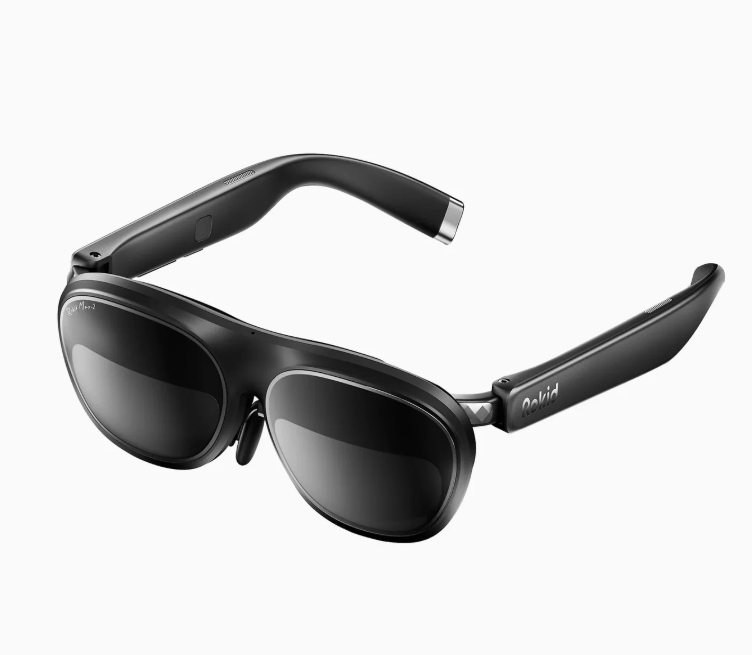
However, after extensive testing—including daily commutes, home viewing, game streaming, and outdoor use—it became clear that this highly hyped AR headset suffers from significant flaws: structural defects, a disjointed user experience, “hidden” feature downgrades, poor interaction design, inconsistent image quality, and failures in eye-protection performance. It is not a polished “portable giant screen” device; rather, it feels like an unrefined, “half-baked” iteration built by stacking specs, with numerous pain points that cannot be fixed via OTA updates. This review focuses on the device’s shortcomings, dissecting its actual pros and cons, comparing it with competitors, and providing a guide to help buyers avoid potential pitfalls.
I. Breakdown of Real Pros and Cons: Impressive Specs, Yet Many Frustrating Issues
(I) Key Advantages
- Excellent OLED Hardware Foundation; Vibrant, Clear Colors
Equipped with Sony Micro OLED screens, it delivers outstanding performance in color gamut, color accuracy, and contrast. Pure black scenes appear truly dark, while colors during viewing are vibrant and clear—avoiding the washed-out or hazy look common in LCD-based AR glasses. It supports high-frame-rate input, making it compatible with high-refresh-rate streaming from the Nintendo Switch, smartphones, and PCs. With a high ceiling for static image quality, it ranks among the best in its price range for color performance. - Full-Range Diopter Adjustment; Friendly to Myopic Users
Users do not need to wear prescription glasses underneath; the device features built-in physical diopter adjustment covering a wide range of prescriptions. Users with astigmatism or mild myopia can wear it comfortably without additional eyewear. This solves the common pain point of having to stack glasses or deal with a bulky fit, making it suitable for a broader user base. 3. Lightweight design upgrade; minimal pressure during short-term use
Compared to the previous generation, the weight has been significantly optimized, and the structural design conforms better to facial contours. Wearing it for short sessions—such as watching a movie, gaming, or binge-watching a series—causes no noticeable pressure on the nose or temples. It offers superior portability compared to other AR headsets in its class, making it truly convenient to carry anywhere. - Highly immersive virtual giant screen; excellent alternative to traditional displays
The virtual large-screen display delivers outstanding visual quality. Whether watching movies in a dark room, enjoying immersive late-night series marathons, or playing handheld games, it serves as a perfect substitute for monitors and TVs. It offers a level of privacy and immersion far superior to traditional screens, making it ideal for users living alone or in rental housing.
(II) Critical Flaws: Primarily structural hardware defects that cannot be fixed via OTA updates
- Uneven image quality across the field of view: Sharp center, severe edge blurring
This is the Max 2’s most common and off-putting flaw. Testing reveals that while the center of the image is sharp and clear, the four corners and the bottom area (where subtitles appear) suffer from widespread blurriness, chromatic aberration, and lack of focus. Text and UI elements—such as movie subtitles, game interfaces, or bottom status bars—appear fuzzy with indistinct edges; staring at these blurred areas for extended periods quickly leads to eye strain. Even with repeated adjustments to diopter settings or wearing angles, the issue persists. It is an inherent defect of the optical module that significantly compromises the viewing and work experience. - Visible low-frequency flicker; failure to deliver on eye-protection claims
The device suffers from noticeable low-frequency PWM flicker, which is clearly visible to the naked eye against solid white backgrounds or bright screens. Users sensitive to flicker experience dry eyes, a sensation of ocular pressure, dizziness, and visual fatigue after just 10 minutes of use, followed by temporary blurred vision upon removing the glasses. It falls far short of the advertised eye-protection standards and poses a significant risk of eye damage with long-term use. - No built-in battery; tethered by cables, completely sacrificing portability
The Rokid Max 2 has completely eliminated the built-in battery, requiring a constant wired connection to a smartphone, handheld console, or docking station for power. While seemingly lightweight, the device is effectively tethered by its cable, preventing free movement during use; it is virtually unusable for outdoor activities, commuting, or travel, reducing the so-called “portable big screen” to a stationary, wired device and rendering its portability claims meaningless. - IPD adjustment locked behind a paywall; basic functionality effectively overpriced
The software-based IPD (interpupillary distance) adjustment—a feature most users consider essential—requires the separate purchase of the Station 2 dock to unlock. By default, the device supports only a fixed IPD; users whose eyes do not align with this fixed setting experience ghosting, focusing issues, and image misalignment. Restricting a fundamental visual adjustment feature to a paid accessory constitutes a severe functional limitation and a disguised price hike, sparking significant controversy among users. - Significant light leakage; inconsistent experience between day and night
The optical waveguide structure suffers from inherent, severe light leakage. In complex daytime lighting, image contrast drops and the picture looks washed out; in dark environments, noticeable green light spills within the lenses, with stray light scattering across the field of view and completely ruining the immersive viewing experience. The official package lacks a proper light-shielding kit, relying instead on a rudimentary cover that performs poorly. - Poor external camera quality; virtually zero practical utility
The external camera’s quality is abysmal; low-light performance is inferior to that of decade-old smartphones, characterized by erratic white balance, heavy noise, and color distortion, resulting in images that look like blurry “spy-cam” footage. Neither photo nor video capture offers any practical value; the first-person recording feature is merely a gimmick that fails to meet daily recording needs. - Flawed interaction methods; highly passive smart experience
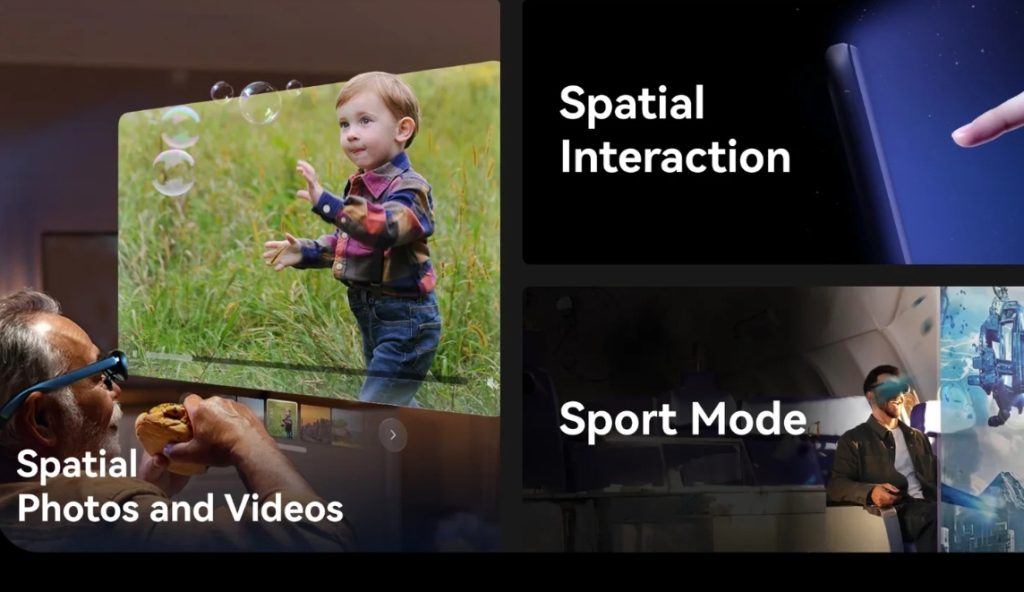
The device lacks gesture controls or “air touch” capabilities, relying solely on touch buttons on the temple arms and voice commands. While voice recognition is passable in quiet indoor settings, accuracy plummets and misrecognitions occur frequently in noisy environments like subways or streets. The device lacks active smart interaction and functions merely as a basic display terminal, with a level of intelligence far below that of competing products. - Rudimentary system ecosystem; poor compatibility and missing features
The native system lacks mainstream entertainment expansion features, such as built-in streaming tools, LAN file management, or customizable viewing modes. Streaming from PCs or consoles requires tinkering with third-party tools; the learning curve is steep and stability is poor, making it difficult for average users to enjoy a “plug-and-play” experience and significantly compromising daily convenience.
II. Comparative Analysis with Competitors: Lagging behind in user experience across the board; spec advantages are merely superficial
The consumer AR glasses market is currently fiercely competitive. Compared to mainstream rivals like RayNeo, VITURE, and Huawei, the Rokid Max 2 holds an advantage only in on-paper specifications, while falling short in actual refinement, user experience, and overall product completeness.
- Comparison with VITURE Pro / VITURE One
The VITURE series supports wireless operation via a built-in battery, precise full-range IPD (interpupillary distance) adjustment, and more uniform image quality across the entire field of view—free from noticeable edge blurring, with superior flicker control and better light-leakage suppression. Its out-of-the-box ecosystem is also more mature. In contrast, the Rokid Max 2 is tethered by cables, lacks basic IPD functionality, and suffers from significant image unevenness and flickering issues; aside from its OLED color gamut, it is comprehensively outperformed in the overall user experience. - Comparison with RayNeo Air 2 / RayNeo V3
RayNeo models offer better value for money, striking a superior balance between image uniformity, eye-care features, and wearing comfort. Their systems come with built-in support for streaming, movie watching, and gaming, eliminating the need for extra tinkering. They also support “blind-plug” compatibility across multiple devices. The Rokid Max 2, however, suffers from numerous inherent usability flaws; its system updates are slow, and the manufacturer shows far less initiative regarding optimization compared to RayNeo. - Comparison with Huawei Vision Glass
Huawei’s AR glasses emphasize lightweight design for daily wear, wireless convenience, and ecosystem integration, catering to media consumption, commuting, and light daily use without significant flickering or light-leakage issues. The Rokid Max 2 is restricted to stationary, indoor, wired scenarios; its use cases are extremely limited, and its versatility falls far short of Huawei’s models. III. Buyer’s Guide: Four Types of Users Who Should Definitely Avoid It
Considering the product’s inherent structural flaws and looking past marketing hype based solely on specs, average consumers should heed these warnings: - Users needing outdoor, commuting, or on-the-go use: Skip it entirely.
It lacks a built-in battery and is tethered by a cable, making portable use impossible; it is restricted to fixed desktop or indoor settings. Despite being marketed for portability, it completely lacks mobile functionality—commuters and travelers should not even consider it. - Users sensitive to screen flicker or prone to eye fatigue: Definitely avoid.
Visible low-frequency flicker combined with blurry edges makes dizziness and eye strain likely during prolonged use. It fails to provide a comfortable viewing experience; long-term use can aggravate issues for those with myopia, dry eyes, or eye sensitivity. It is absolutely unsuitable as a primary device for watching videos. - Users with non-standard interpupillary distance (IPD) or those unwilling to buy extra accessories: Proceed with caution.
There is no built-in IPD adjustment; users with non-standard IPD will experience ghosting and focusing issues. Achieving a proper fit requires purchasing an additional dock, leading to high hidden costs—effectively a price hike—resulting in very poor value for money. - Users seeking a “plug-and-play” or hassle-free experience: Do not buy.
The system ecosystem is rudimentary, streaming setup is cumbersome, and many features are missing. It requires manual tinkering to get things working, and bug fixes are slow. It is extremely unfriendly to novices and offers a disjointed daily user experience. - Essential advice for users who insist on buying it
Prioritize using the official light shield to minimize light leakage; use it in dark, static environments and avoid high-intensity, fast-paced content to reduce eye strain. For precise visual quality, purchase the dock to unlock IPD adjustment. Avoid wearing it continuously for long periods to prevent eye damage from flicker; do not rely on the built-in camera for photography—effectively abandon the first-person recording feature.
IV. Final Verdict: A “Fixed-Scenario Toy” with Great Specs but a Flawed Experience
The Rokid Max 2’s only core highlights are the excellent color reproduction of its Sony OLED display, full-range diopter adjustment, and an immersive large-screen viewing experience. It is suitable only for a niche audience using it in fixed indoor settings—such as watching shows in the dark or enjoying immersive gaming on handhelds and consoles. Overall, however, the product suffers from numerous fundamental hardware flaws—such as a tethered design, uneven image quality, eye-straining flicker, IPD adjustment locked behind a paywall, severe light leakage, poor interaction design, and a lackluster ecosystem—none of which can be remedied via software updates. It is a classic example of a product that simply stacks impressive specifications on paper while offering a poorly polished user experience; it is entirely unworthy of its mid-range price point.
For the vast majority of consumers, opting for mature competing products from brands like RayNeo or VITURE within the same budget offers a more complete, stable, and hassle-free experience across various use cases. The Rokid Max 2 is far from an ideal choice and is suitable only for a very small niche of users with specific, fixed-scenario requirements.