
Nvidia’s long-teased “super chip for the PC” is finally something you can buy. On October 19, 2026, laptops and mini desktops built around the RTX Spark platform went on sale from six PC makers — ASUS, Dell, HP, Lenovo, Microsoft and MSI — with starting prices of $2,399 and a headline claim that would have sounded absurd a few years ago: one petaflop of AI compute in a machine you can carry in a backpack. After a week of briefings, hands-on sessions and cross-checking early reviews from The Verge, here is the full picture of what RTX Spark is, who it serves, and where it still stumbles.
What RTX Spark Actually Is
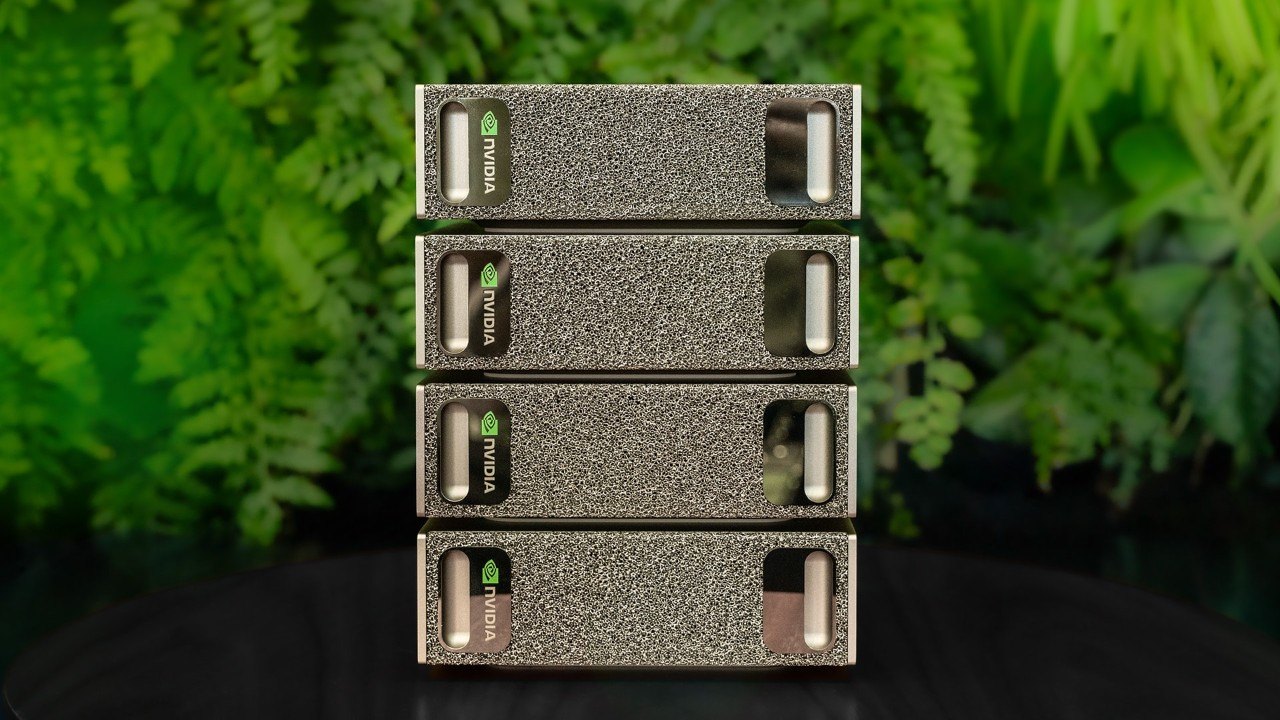
RTX Spark (internally designated N1X) fuses a Blackwell-generation RTX GPU with a Grace-series Arm CPU into a single package. The flagship configuration pairs 20 CPU cores with 6,144 CUDA cores and up to 128GB of unified memory — the same architectural idea Nvidia has been selling to data centers for years, now compressed into a 15-inch chassis. Lower-tier machines use an 18-core chip with 5,120 CUDA cores and 24GB to 64GB of memory. This is the consumer cousin of the DGX Spark desktop that Nvidia launched earlier in the year, and the family resemblance is obvious in both the industrial design and the marketing language: the same sandblasted metal enclosures, the same “your AI on your desk” framing.
The critical architectural difference from a conventional laptop is unified memory. On a normal PC, the GPU has its own VRAM pool and the CPU has system RAM; moving model weights between them is the single biggest bottleneck for local inference. On RTX Spark, both processors see one pool. That means a 70-billion-parameter model at 8-bit quantization — roughly 70GB of weights — can load and run on a 128GB machine without offloading tricks, without spinning up a cloud instance, and without paying per token.
The Launch, In Six Cities
Nvidia marked the release with simultaneous events in Berlin, Beijing, Seoul, San Francisco, Istanbul and Taipei. Jensen Huang appeared in person at Berlin’s Festival of Lights, handing out five signed units to attendees. In Beijing, the JD Dual Mall storefront was crowded with fans, developers and content creators running local Stable Diffusion pipelines and Chinese-language LLM demos — a scene that would have been unthinkable on consumer Windows hardware even eighteen months ago. Nvidia also published validated deployment guides for local AI workloads, a quiet acknowledgment that the platform’s value depends on developers being able to get models running in minutes rather than weekends.
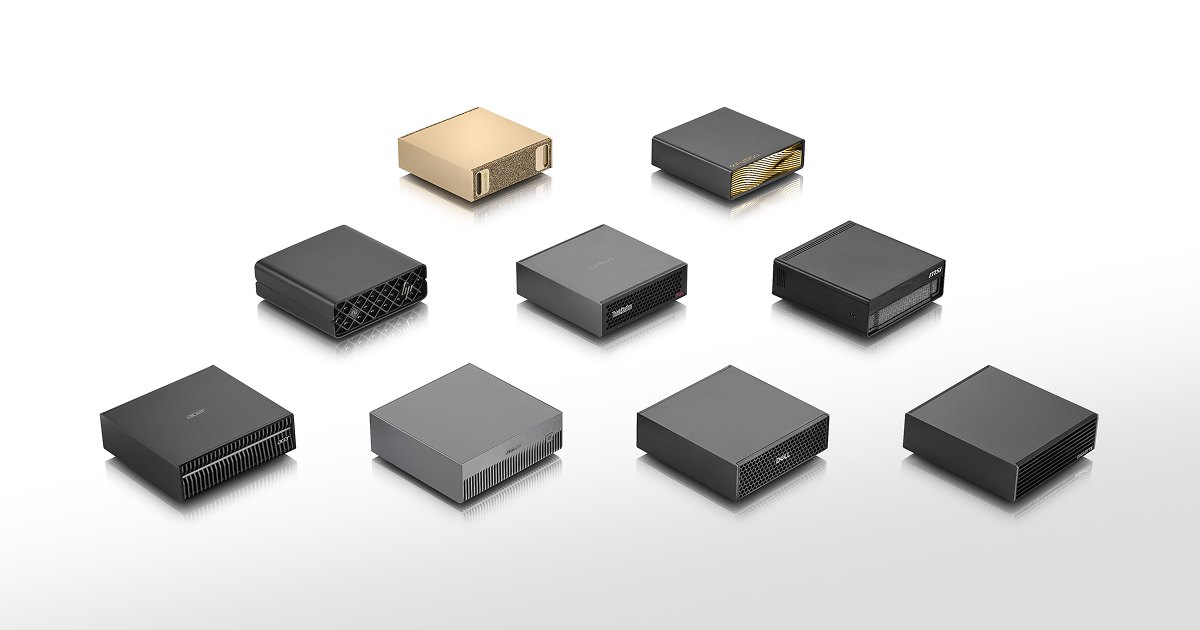
The breadth of the launch line-up matters more than any single SKU. Six OEMs shipping on day one means buyers can choose between a 14-inch ultraportable, a 16-inch creator machine, a 15-inch mainstream laptop and a compact mini desktop — all with the same silicon and software stack. Historically, Nvidia’s integrated-platform ambitions have died on the OEM vine because no partner wanted to be first. This time, everyone showed up.
Local AI Is the Real Product
Strip away the launch theatre and the pitch is simple: models that used to demand a data-center GPU can now run locally. Reviewers have demonstrated 70-billion-parameter language models running entirely in unified memory at conversational speeds, real-time image generation at 1024×1024 in under two seconds per image, and multi-track music production with on-device stem separation. Adobe ships native Arm builds of Photoshop and Premiere, with GPU-accelerated denoise and export paths that previously required x86 machines with discrete cards.
For developers, the practical upside is an inference bench you can put in a backpack. Fine-tuning a small model, testing quantization schemes, benchmarking prompt-engineering strategies against a local endpoint — all of this becomes loop-time work rather than API-call work, and the cost model flips from per-token billing to electricity. Studios doing confidential client work get something they have been asking for since the first cloud-AI wave: a machine where the data genuinely never leaves the room.
There is an important caveat here. “One petaflop” is a peak FP4/FP8 figure under ideal thermal conditions on a plugged-in machine, and sustained performance in a thin laptop will be materially lower. Reviewers have reported noticeable thermal throttling under 20-minute sustained inference loads, with the chassis getting hot enough near the hinge that lap use is unpleasant. Nvidia’s positioning — that this is a workstation you happen to be able to carry — is honest; buyers expecting silent all-day AI compute will be disappointed.
Gaming: Impressive, With an Asterisk
The gaming story is messier, and it deserves a proper accounting because a great many buyers will arrive from that direction. The Verge’s three testers ran five laptops for a week and published impressions rather than scored reviews — an appropriate hedge for a platform this new. Their numbers: roughly 70 fps average in Black Myth: Wukong at 1440p medium with DLSS Performance; 66 fps in Cyberpunk 2077 under the same settings; 57 fps in Forza Horizon 6.
Those are respectable numbers for a 350-450W-class mobile system, but the CPU side of the chip is the limiter. Helldivers 2 on the highest difficulty failed to hold 60 fps even at DLSS-upscaled 1080p, and Star Wars Zero Company sat stubbornly between 37 and 39 fps in battle regardless of visual settings — a classic sign of a CPU bottleneck that no amount of GPU headroom can fix. Returnal, Expedition 33, Jedi Survivor and Shadow of the Tomb Raider all ran smoothly at the settings tested. In other words: modern GPU-bound titles are fine; simulation-heavy, draw-call-heavy or physics-heavy titles will expose the Arm CPU’s weakness.
Windows on Arm compatibility has improved enormously. Microsoft’s Prism emulation layer runs most x86 software without visible issues, and native Arm builds now cover the major creative applications. But testers reported occasional oddities — an app taking far longer than expected to launch, Evernote notes briefly disappearing until force-refreshed, applications ignoring the system dark-mode setting. None of these are dealbreakers; collectively they describe an ecosystem that is 95% there and visible about the remaining 5%.
The Price Ladder
The Verge’s tested configurations ran from $2,599.99 for a Surface Laptop Ultra and a 24GB ASUS ProArt P14, through $3,199.99 for the HP OmniBook Ultra, to $6,999.99 for the top-spec ASUS ProArt P16. Nvidia’s own floor is $2,399. That spread is wide enough that “RTX Spark” describes a platform rather than a product, and buyers should focus on three numbers: total unified memory, sustained power budget, and chassis cooling design. A 64GB machine with a choked cooler will underperform a 48GB machine with proper vapor-chamber engineering on sustained workloads.
Who Should Buy One
Three audiences make obvious sense. First, AI developers and researchers who want a portable inference and fine-tuning bench with no cloud dependency and no data-egress policy to negotiate. Second, creative professionals — colourists, editors, 3D artists — who already run GPU-accelerated pipelines and want AI features locally rather than via subscription. Third, privacy-sensitive organizations: law firms, medical practices, defence contractors and financial research teams for whom sending documents to an API endpoint is simply not permitted.
Two audiences should wait. Gamers who primarily play competitive, CPU-sensitive titles will be better served by a conventional x86 gaming laptop at half the price. And mainstream buyers who mainly want Copilot features and long battery life should look at a good Snapdragon or Lunar Lake ultrabook — RTX Spark’s premium buys capability most people will not use.
What Comes Next
The strategic read is that Nvidia is building a moat around something bigger than a laptop: an inference-first computing platform where CUDA, the model ecosystem and the hardware all reinforce each other. If a meaningful share of enterprise AI moves on-premises — and the cost trajectory of cloud inference suggests it might — then owning the desktop inference layer is enormously valuable. The RTX Spark launch is the opening move in that campaign, not the end of it.
Expect the second generation to address the three criticisms heard most consistently this week: CPU performance headroom, sustained thermals in thin chassis, and entry pricing. None of those are architectural dead ends; all of them are typical first-generation compromises.
Verdict
Rating: 4/5 — RTX Spark delivers a genuinely new category: a laptop-class machine that treats local AI as a first-class citizen rather than a marketing checkbox. The unified-memory architecture and 1-petaflop ceiling are real, transformative capabilities, and the six-OEM launch suggests the industry believes in it. But CPU-limited gaming performance, thermal throttling under sustained AI load, premium pricing and an Arm software ecosystem with visible rough edges mean this is a pioneering product, not a perfected one.
If your workload is AI — inference, fine-tuning, local generation, confidential data processing — buy with confidence; there is nothing else like it at this size. If your workload is games, temper your expectations and check the CPU-sensitive titles you actually play. And if you mainly want a fast, long-lasting ultrabook, save your money. RTX Spark is the right machine for a specific and growing audience; it is not the right machine for everyone, and Nvidia’s own positioning quietly admits as much.
Benchmarks vs Reality: The Thermal Ledger
Peak figures and sustained figures are different products, and RTX Spark is the clearest example of that gap in years. Nvidia’s one-petaflop claim is an FP4 dense number measured at a fixed power state with an ideal cooling path; in a 15-inch chassis the same silicon spends most of its life two or three power states below that. The Verge’s testers recorded chassis temperatures high enough after twenty minutes of continuous inference that lap use became genuinely uncomfortable, and fan noise that in a quiet office registered as the loudest object in the room. Neither is a scandal in a workstation-class machine, but both are facts that a marketing page will never tell you, and both matter if the laptop is going to sit on a desk next to a microphone all day.
The practical translation is that RTX Spark rewards workflows that come in bursts. Prompt engineering, model testing, batch image generation and short fine-tuning runs all fit the profile perfectly: you work hard for ten minutes, think for twenty, iterate. The workloads that punish it are long uninterrupted training or rendering jobs, where the chip settles into its throttled state and stays there. If your day looks like an occasional heavy spike followed by lighter work, the thermal ceiling is invisible. If your day is six hours of continuous GPU saturation, budget for a mini desktop configuration with a larger cooler rather than a thin laptop.
Battery life deserves the same honesty. Nobody buys a $2,400 AI workstation for unplugged endurance, but buyers will still be surprised by how quickly unplugged inference drains a cell. Running a 70-billion-parameter model locally draws continuous high power from a battery designed for intermittent burst loads, and reviewers consistently reported that AI work unplugged is measured in a small number of hours rather than a working day. Treat it as a desktop that folds, not a laptop that travels.
Memory Configuration Is the Only Spec That Matters
The line-up spans 24GB to 128GB of unified memory, and that single number determines which of three different products you are actually buying. At 24GB you have a fast AI-capable laptop that can run small models and accelerate creative applications, but cannot hold a serious 70-billion-parameter model at usable quantization. At 64GB you can run 70B-class models comfortably and 120B-class models with aggressive quantization and reduced context. At 128GB you can run the largest open-weight models that fit in a single machine at all, which is a capability that simply did not exist in portable hardware before this year.
Everything else in the configuration is secondary. CUDA core counts differ by about twenty percent across the range, CPU cores by two, and both are dwarfed in practical impact by whether the model fits in memory. A buyer choosing between a faster chip with 64GB and a slower chip with 128GB should choose the memory every single time, because the machine that can load the model is useful and the machine that cannot is a very expensive Ultrabook.
Storage is the quiet companion constraint. A 70B model at 8-bit quantization is roughly 70GB on disk before you count adapters, checkpoints, datasets and the quantized variants you will inevitably download to compare. Machines shipping with 1TB fill up fast; buyers planning serious local work should target 2TB or plan on external NVMe. This is unglamorous advice, but it is the most common complaint in early owner threads.
Setup: Better Than Expected, Still Not a Mac
Nvidia’s validated deployment guides are the most underrated part of this launch. Historically, getting a local model stack running on new hardware meant a weekend of dependency archaeology: the wrong CUDA runtime, a wheel that doesn’t exist for your architecture, a tokenizer library compiled against a different Python. Nvidia has published step-by-step instructions for the common frameworks and model families, and reviewers who followed them reported working inference within a couple of hours rather than a couple of days. That is a meaningful improvement and it directly addresses the biggest reason buyers abandon local AI.
It is still not the frictionless experience of a Mac. Apple’s advantage has never been raw performance; it is that a developer installs one package and everything works, because the silicon, the operating system and the toolchain come from one company with one target. Windows on Arm plus Nvidia silicon plus Prism emulation plus the CUDA stack plus whatever framework the model author used is five layers, and any of them can be the layer that breaks. The community is large and helpful, and most problems have been solved by someone, but “most problems have been solved by someone” is not the same as “it works.”
Creative Workflows: Where It Quietly Wins
The least publicised benefit is not AI at all — it is that a unified memory pool removes the copy step from every GPU-accelerated application. Video editors no longer wait for media to move from system RAM to VRAM before scrubbing a timeline. Photo editors open enormous layered documents without the “out of GPU memory” dialog. 3D artists preview scenes with textures that would previously have forced a cache flush. None of these are AI features, all of them are consequences of the same architecture, and collectively they represent a smoother day than any benchmark captures.
For colourists and editors specifically, the combination of a colour-accurate panel and a GPU that never runs out of memory is unusually compelling. Handling 8K footage, multiple node-based grades and AI-driven object removal in the same session used to require a desktop tower with a discrete card and a separate render machine. Whether that justifies a $3,200 laptop depends on the billing rate of the person using it — and that, ultimately, is the honest test for the whole platform.
The Questions Buyers Keep Asking
Will it run Windows games? Yes, most of them, well. GPU-bound titles at 1440p with upscaling land in the 55–70 fps range, which is comfortable for single-player. Competitive and simulation-heavy titles expose the CPU, as covered above.
Can I train, not just run, models? You can fine-tune small and mid-size models with parameter-efficient methods, and you can do it locally with no data leaving the machine. Full pre-training of frontier-scale models is a data-centre job and will remain one.
Is 24GB worth it? Only if your interest is acceleration rather than model hosting. For anyone buying specifically to run large language models locally, 64GB is the practical floor and 128GB is the point of the exercise.
Should I wait for generation two? If you do not have an immediate need, yes. First-generation platforms always improve fastest. If you have a workload that a cloud API cannot legally or economically serve, the wait costs more than the compromise.
The Ecosystem Question Nobody Wants to Answer
There is a strategic risk that deserves more attention than it gets. Nvidia’s consumer platform now depends on Arm, on Windows, and on a body of software that has been compiled for x86 for thirty years. Every one of those dependencies is a potential source of friction that Nvidia controls only partially. Microsoft’s emulation layer is good and getting better, but emulation is a tax paid in performance and in the occasional bug, and it is a tax that never fully disappears for the long tail of professional software.
The counterargument is that the long tail is shrinking. The applications that matter to the buyers of this machine — browsers, creative suites, development tools, model frameworks — all have native Arm builds now, and several of them ship better on Arm than on x86 because the memory architecture suits them. The buyers who will suffer are those with a single indispensable piece of legacy software, often something industry-specific and rarely updated. Those buyers should verify their specific application before ordering, not after.
The Bottom Line on the Platform Bet
Twenty years ago, the argument for buying an expensive workstation was that it paid for itself in a week of work. RTX Spark revives that argument in a new form. If your work involves confidential data, repeated model iteration, or inference volume high enough that per-token pricing becomes a line item, the machine pays for itself against a cloud bill within months. If your work involves none of those things, the premium buys capability you will not use, and a well-chosen conventional laptop will make you happier.
That is a narrower recommendation than a launch review usually offers, and it is the correct one. Nvidia has built the first genuinely new category of personal computer in a decade. New categories are, almost by definition, the wrong purchase for most people and the right purchase for a specific few. The question every reader should ask is not whether RTX Spark is good — it is — but whether they are in that specific few.